How to Use AI Chat to Create Invoices, Quotes & Proposals Instantly (2026)
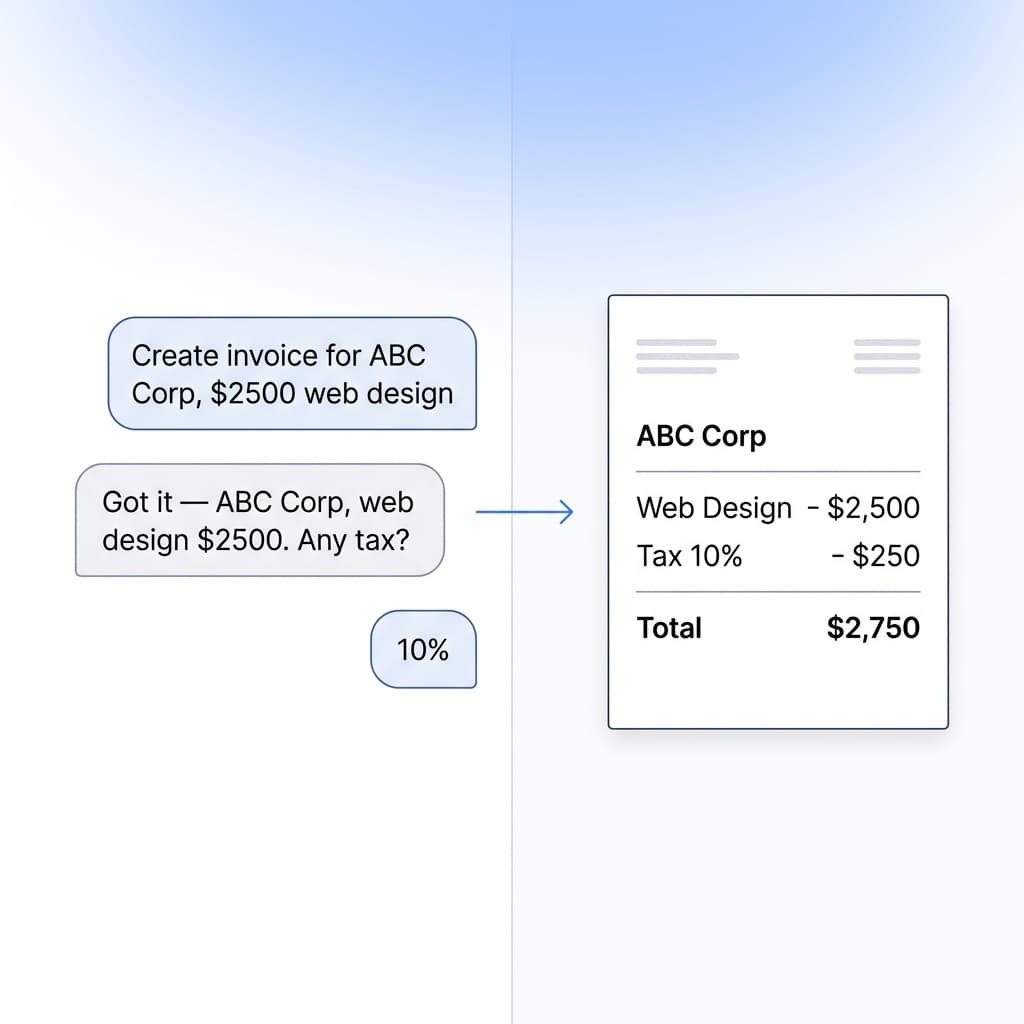
Just tell the AI what you need. SuiteZai's chatbot Lyra can create invoices, write proposal content, and help with document tasks — all through conversation.
Meet Lyra: Your AI Document Assistant
SuiteZai includes an AI-powered chatbot called Lyra that understands natural language. Instead of clicking through menus and filling forms manually, you can simply describe what you need and Lyra handles the rest.
What Can Lyra Do?
- Create documents from description: Tell Lyra "Create an invoice for John Doe, web design project, $3,500" and it generates the document instantly.
- Write professional content: Ask Lyra to write proposal descriptions, scope of work, payment terms, or executive summaries.
- Answer questions: Ask about invoicing best practices, tax rules, or how to use SuiteZai features.
- Edit existing documents: Tell Lyra to "add a 10% discount" or "change the due date to next Friday" on your current document.
Example Commands for Invoices
Here are real commands you can use with Lyra:
- "Create an invoice for Acme Corp for logo design, $1,200"
- "Make a freelance web development invoice, 40 hours at $85/hour"
- "Generate an invoice with three line items: consultation $500, implementation $2,000, and support $300"
- "Create an invoice in EUR for my German client"
Example Commands for Quotations
- "Create a quote for a 5-page website redesign project"
- "Generate a quotation for interior design services, 3 rooms, budget around $15,000"
- "Make a price estimate for mobile app development, iOS and Android"
Example Commands for Proposals
- "Write a proposal for a social media marketing campaign, 3-month contract"
- "Create a business proposal for SEO services with monthly reporting"
- "Generate a project proposal for e-commerce website development"
AI Writing Assistant for Proposals
Proposal writing is where Lyra truly shines. Creating a compelling proposal from scratch can take hours. With Lyra, you can:
- Generate executive summaries: Describe your project and Lyra writes a professional summary that captures the key value proposition.
- Create scope of work: List your deliverables and Lyra formats them into a clear, professional scope section.
- Write terms and conditions: Ask Lyra to generate standard terms covering payment, revisions, timeline, and intellectual property.
- Suggest pricing: Describe your services and Lyra can help structure pricing tables with line items, quantities, and totals.
Tips for Better AI Results
- Be specific: "Create an invoice for web design, $3,500" gives better results than "make an invoice".
- Include key details: Client name, service description, amounts, and currency help Lyra generate accurate documents.
- Iterate: Start with a basic command, then refine. "Add tax at 18%" or "Change the payment terms to Net 15".
- Use natural language: You don't need special syntax. Talk to Lyra like you'd talk to an assistant.
AI Chat vs. Manual Creation
When should you use AI chat vs. the manual form?
- Use AI chat when: You want speed, you're creating from scratch, you need help writing content, or you're on mobile and typing is faster than clicking.
- Use the manual form when: You need precise control over every field, you're editing an existing template, or you prefer a visual workflow.
The best approach? Use Lyra to generate a first draft quickly, then fine-tune in the form editor if needed. This combines speed with precision.
Privacy Note
Lyra processes your requests using AI, but your document data stays in your browser. The AI helps generate content, but your final invoices, quotes, and proposals are stored locally — not on our servers.
Try Lyra Now
Open SuiteZai and click the chat icon to start a conversation with Lyra. Create your first AI-generated document in under 30 seconds — no sign-up needed.