How-To Guide5 min read
How to Add Custom Watermarks to Your Invoices: Brand Protection Guide (2026)
February 10, 2026
Quick answer
Add your logo as a subtle watermark on every document. Learn how custom watermarks protect your brand and make documents instantly recognizable.
What Are Document Watermarks?
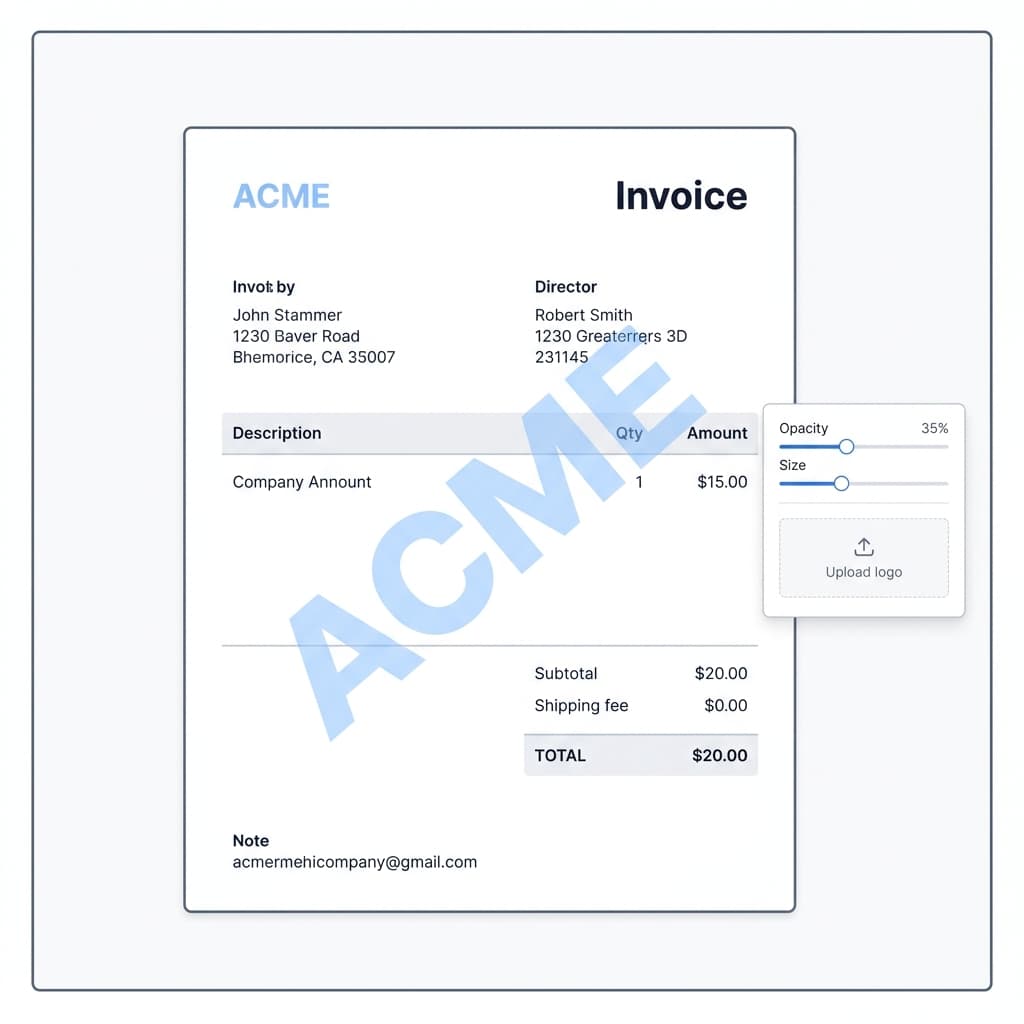
A watermark is a semi-transparent image or text that appears behind the content of your document. In business documents like invoices, quotations, and proposals, watermarks serve two important purposes: brand reinforcement and document authenticity.
Why Use Watermarks on Business Documents?
- Brand Recognition: Your logo subtly appears on every page, reinforcing your brand identity every time a client views the document.
- Professional Touch: Watermarks add a layer of sophistication that separates amateur invoices from professional ones.
- Document Status: Use text watermarks like "DRAFT", "PAID", or "CONFIDENTIAL" to clearly communicate document status.
- Fraud Prevention: A branded watermark makes it harder for someone to forge or modify your documents.
How to Add Watermarks in SuiteZai
SuiteZai makes adding watermarks incredibly simple:
- Upload Your Logo: In the invoice/quotation/proposal editor, look for the "Watermark" option in the design settings.
- Adjust Opacity: Control how visible the watermark is. A subtle 8-15% opacity is usually ideal — visible but not distracting.
- Set Size and Position: Choose where the watermark appears and how large it is. Center placement is most common.
- Preview: See how it looks in real-time before downloading.
Watermark Best Practices
- Keep opacity low (8-15%): The watermark should be noticeable but never interfere with reading the document content.
- Use your logo, not text: A logo watermark looks more professional than text. If you don't have a logo, use your company initials in a clean font.
- Center placement works best: A centered watermark covers the most area and looks balanced on any document size.
- Use high-resolution images: A blurry watermark looks worse than no watermark at all. Upload PNG files with transparent backgrounds for best results.
- Be consistent: Use the same watermark across all your documents — invoices, quotations, and proposals should all carry your brand.
When NOT to Use Watermarks
While watermarks are great for most situations, skip them when:
- The client specifically requests clean, unmarked documents
- You're submitting to a formal tender or government contract that requires specific formatting
- The document is already heavily designed and adding a watermark would create visual clutter
Logo Watermark vs. Status Watermark
There are two types of watermarks you might use:
- Logo watermark: Your company logo as a subtle background. Use this on all sent documents for branding.
- Status watermark: Text like "DRAFT" or "PAID" overlaid on the document. Use this internally to track document status, or to prevent clients from using draft versions as final documents.
Start Branding Your Documents
Upload your logo and add a professional watermark to your next invoice in SuiteZai. It takes less than 30 seconds and instantly elevates your document quality.
Related resources
Related Topics:
invoice watermarkcustom logo watermarkbrand protection invoiceprofessional document brandingwatermark generator